
A Practical Guide to Using Breadcrumbs in SEO
Clear website navigation is critical for keeping visitors engaged. When users can’t find what they are looking for, they often leave. This is where a small but powerful element comes into play: breadcrumbs. Implementing breadcrumbs in SEO is a straightforward way to improve how users and search engines navigate your site. They provide a clear trail that shows people exactly where they are within your site’s hierarchy, reducing confusion and encouraging exploration.
For marketing agencies and SaaS companies, optimizing the user journey is just as important as attracting traffic in the first place. This guide explains what breadcrumbs are, why they are beneficial for both users and search rankings, and how you can add them to your WordPress site.
What Are Breadcrumbs?
Breadcrumbs are a secondary navigation aid that shows a user’s location on a website. Think of them as the digital version of the trail left by Hansel and Gretel. They appear as a path of links, usually near the top of a page, that outlines the journey from the homepage to the page you are currently viewing. Each step in the path is clickable, allowing users to easily go back to a previous section or category.
For example, a breadcrumb trail on a blog post might look like this:
Home > Blog > Content Marketing > Your Current Page
This simple text string gives users immediate context. They understand the page’s position within the larger site structure and can navigate to higher-level pages with a single click, without having to use the “back” button or the main navigation menu.
The Three Types of SEO Breadcrumbs
Breadcrumbs come in a few different formats, each serving a distinct purpose. Understanding them helps you choose the right approach for your website’s architecture.
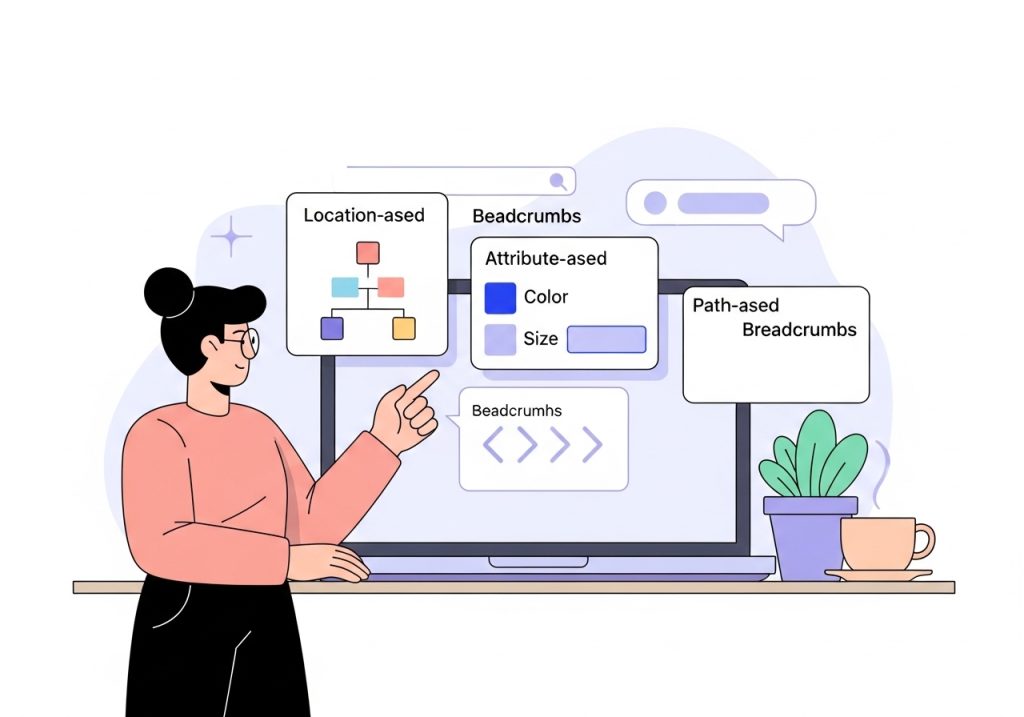
1. Hierarchy-Based Breadcrumbs
Also known as location-based breadcrumbs, this is the most common type. They tell users where they are in the site’s hierarchy. The trail is static and reflects the site’s structure, regardless of how the user arrived at the page. This is the standard for most blogs, corporate websites, and content-heavy platforms.
2. Attribute-Based Breadcrumbs
Attribute-based breadcrumbs display the product attributes or filters a user has selected on a page, common on e-commerce sites. For instance, if a user is searching for a laptop, the trail might show the specific filters they applied, such as screen size, brand, and processor type. This helps users understand their selections and easily modify them.
3. History-Based Breadcrumbs
Sometimes called path-based breadcrumbs, this type shows the specific pages a user visited to get to their current location. It functions similarly to a browser’s history. While it might seem useful, it is the least common type because it can be confusing. A user’s path is often not linear, and showing a complex trail can create more problems than it solves. For most business sites, hierarchy-based breadcrumbs are the superior choice.
The SEO and UX Benefits of Breadcrumbs
Implementing breadcrumbs offers tangible benefits for both your website visitors and your search engine performance. They are a small change that can produce a significant positive impact.
- They Improve User Experience: Breadcrumbs make navigation intuitive. Users can easily find their way around your site, which reduces frustration and encourages them to stay longer. By providing a simple way to navigate back to parent categories, they can lower bounce rates.
- They Help Search Engines Understand Your Site: Search engine crawlers use breadcrumbs to understand the structure of your website. A clear, logical hierarchy makes it easier for them to index your content effectively and understand the relationship between different pages. This process strengthens your site’s technical SEO foundation.
- They Can Enhance Your Search Listings: Google often uses breadcrumb data to create rich snippets in the search results. Instead of displaying a long, complex URL, Google might show the breadcrumb trail. This looks cleaner, provides context to the user before they click, and can improve your click-through rate.
How to Add Breadcrumbs to a WordPress Site
For those using WordPress, adding breadcrumbs is usually a simple process. Many modern themes have built-in options for enabling them. If your theme doesn’t, the easiest way is to use an SEO plugin like Yoast SEO or Rank Math, which many sites already have installed.

Here is a general guide for enabling them via a plugin:
- Navigate to Your SEO Plugin Settings: In your WordPress dashboard, find the settings for your SEO plugin. For Yoast SEO, this is usually under “Yoast SEO > Settings > Advanced > Breadcrumbs”. For Rank Math, it is under “Rank Math > General Settings > Breadcrumbs”.
- Enable the Breadcrumbs Function: Look for a toggle switch to turn the breadcrumbs feature on.
- Configure the Settings: Once enabled, you can customize how your breadcrumbs appear. You can choose the separator character (e.g., >, /, or |), the anchor text for the homepage, and other display options.
- Add the Code Snippet (If Necessary): Some themes require you to add a small piece of code to your theme files to tell WordPress where to display the breadcrumbs. The plugin will provide this snippet. You typically add it to template files like
header.phporsingle.php. Always back up your site before editing theme files, or use a child theme to make changes.
After enabling breadcrumbs, visit a few pages on your site to ensure they are displaying correctly. You can also use Google’s Rich Results Test tool to check that the underlying structured data (Schema markup) is properly implemented.
Best Practices for Breadcrumbs in SEO
To get the most out of your breadcrumbs, follow a few simple best practices:
- Use Them as a Secondary Aid: Breadcrumbs should not replace your main navigation menu. They are a supplementary tool, so make sure your primary navigation is still clear and comprehensive.
- Show the Full Path: The trail should always start from the homepage and show every level down to the current page. Don’t skip any steps in the hierarchy.
- Do Not Link the Current Page: The last item in the trail, which represents the page the user is on, should be plain text. Linking to the page itself is redundant and can be confusing.
- Ensure Mobile-Friendliness: Breadcrumb trails can take up horizontal space. Check that they display correctly on mobile devices and don’t break your page layout or become difficult to read.
- Implement Schema Markup: Use `BreadcrumbList` schema to explicitly define your breadcrumb trail for search engines. This increases the chances of them appearing in SERPs. Most quality SEO plugins handle this for you automatically when you enable the feature.
Breadcrumbs are a fundamental element of good website design and technical SEO. They provide clear navigational cues for users and help search engines make sense of your site’s structure. By implementing them correctly, you create a more intuitive experience for visitors and can improve your visibility in search results. Take a few minutes to review your own website. If you don’t have breadcrumbs, adding them is a simple, high-impact update you can make today.
Implementing every SEO best practice takes time you don’t have. Ascend automates your entire content strategy, from keyword research to publishing, right inside WordPress. Stop spending hours on content creation and start growing your organic traffic automatically.

Written by
Ascend
Ascend is an automated SEO engine for WordPress. It handles keyword research, writes high-quality, search-optimized content, and publishes it directly to your site, so your traffic can grow on autopilot. Learn more