
How to Correctly Use Canonical URLs for SEO
Duplicate content can create significant challenges for search engine optimization. When search engines find multiple versions of the same content, they can struggle to determine which page to index and rank. This confusion dilutes link equity and can negatively impact your site’s visibility. Properly using canonical URLs for SEO is the solution, providing a clear signal to search engines about which version of a page is the primary source. This guide walks you through the steps to implement canonical tags correctly and protect your organic performance.
Step 1: Understand What Canonical URLs Are
A canonical URL is an HTML element that tells search engines the “preferred” or “master” version of a web page. When you have multiple pages with identical or very similar content, the canonical tag specifies which one should be indexed and credited with ranking signals. It is implemented using a link tag, `rel=”canonical”`, placed within the HTML head of the duplicate pages.
Think of it as citing the original source. If you have three copies of the same document, the canonical tag points to the one you want everyone to reference. For search engines, this consolidates ranking power. Instead of splitting authority and backlinks across several duplicate URLs, all value is directed to the single, canonical URL. This helps prevent keyword cannibalization and ensures the correct page appears in search results, a critical step in any effort to increase your organic search traffic.
Step 2: Identify Duplicate Content on Your Site
Before you can specify a canonical URL, you must first find where duplicate content exists. Duplicate content issues are often created unintentionally and are more common than many site owners realize. They can appear in several forms:
- URL Variations: Search engines see every unique URL as a separate page. This includes variations for protocols (HTTP vs. HTTPS), subdomains (WWW vs. non-WWW), and trailing slashes.
- Tracking Parameters: URLs often contain parameters for tracking clicks from marketing campaigns, like UTM parameters (`?utm_source=newsletter`). These create duplicate versions of the original page.
- Session IDs: Some websites append unique session IDs to URLs for each user, which also creates duplicates.
- Printer-Friendly Pages: Offering a version of a page designed for printing (`/page-print.html`) can lead to duplicate content if not handled correctly.
- Syndicated Content: If you allow other websites to republish your blog posts, you create cross-domain duplicate content.
- E-commerce Filters: Faceted navigation on e-commerce sites can generate thousands of URLs with slightly different content based on filters for color, size, or price.
You can identify these issues using tools like Google Search Console’s Index Coverage report, which flags duplicate content problems. Website crawlers such as Screaming Frog or Ahrefs’ Site Audit tool are also effective for finding all accessible versions of your pages.
Step 3: Choose Your Preferred (Canonical) URL
Once you have a list of duplicate pages, the next step is to choose one as the canonical version. This decision should be strategic. Select the URL that represents the best version of the content. Consider a few factors when making your choice:
- Content Quality: The canonical page should be the most comprehensive and highest-quality version of the content.
- Existing Authority: If one version has significantly more backlinks or internal links pointing to it, it is often the best candidate. Building this authority is a key part of an effective off-page SEO strategy.
- Traffic: The page that already receives the most organic traffic is usually a strong choice.
- URL Structure: Choose the cleanest, most descriptive, and user-friendly URL. For example, prefer `https://yourbrand.com/product` over `https://yourbrand.com/products.php?id=123`.
- Protocol: Always choose the HTTPS version over the HTTP version for security and SEO benefits.
The goal is to consolidate all signals to the single URL that has the best chance of ranking well and providing a good user experience.
Step 4: Implement the rel=”canonical” Tag
With your canonical URL chosen, it is time for technical implementation. The most common method is adding a “ tag to the HTML “ section of all duplicate pages. This tag points directly to your chosen canonical URL.
The syntax looks like this:
<link rel="canonical" href="https://www.yourdomain.com/preferred-page/" />
For example, if `https://youragency.com/services?sessionid=xyz` is a duplicate of `https://youragency.com/services`, you would add the above code to the HTML head of the URL with the session ID. The `href` attribute must contain the full, absolute URL of the canonical page.
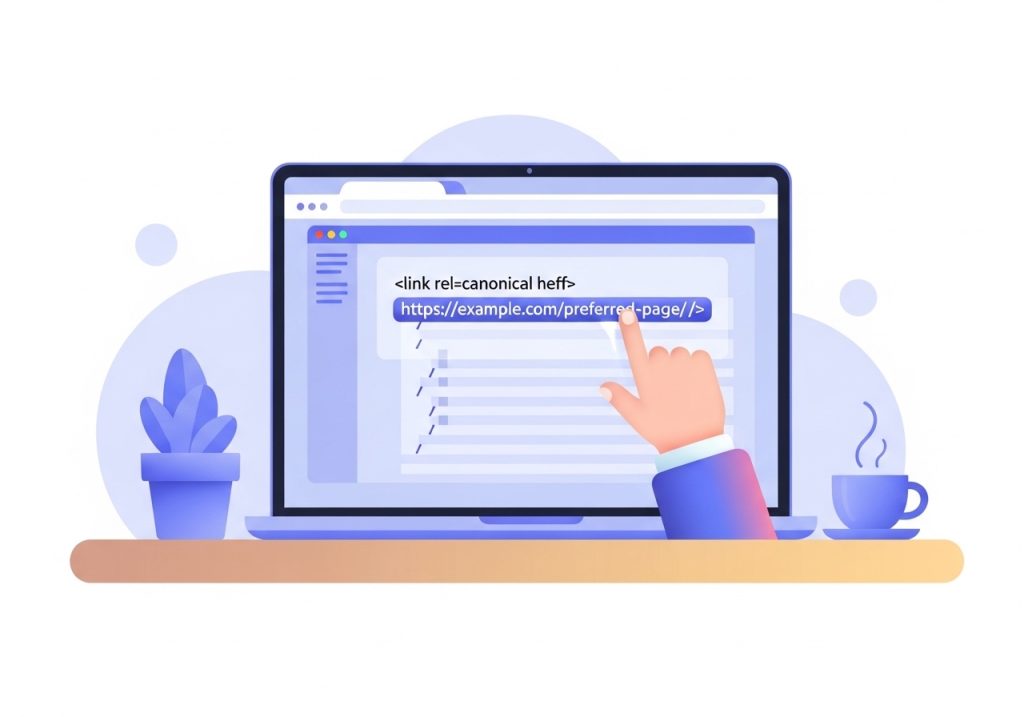
It is also a best practice to add a self-referencing canonical tag. This means the canonical page itself should have a canonical tag that points to its own URL. This practice helps prevent unexpected issues where crawlers might mistakenly identify the page as a duplicate of another.
Step 5: Follow Canonical URLs for SEO Best Practices
Proper implementation goes beyond just adding a tag. To make your canonical URLs for SEO truly effective, follow these best practices and avoid common pitfalls.
Use Absolute URLs
Always use the full, absolute path in your canonical tag’s `href` attribute (e.g., `https://yourdomain.com/page`) instead of a relative path (e.g., `/page`). Relative paths can be misinterpreted by search engine crawlers, leading to incorrect indexing.
Handle Cross-Domain Duplicates
If you syndicate content to other publications, you can use a cross-domain canonical tag to ensure your original article receives the SEO credit. The publisher republishing your content should place a canonical tag on their page that points back to your original article’s URL. This is a powerful way to expand your reach without harming your SEO.
Avoid Conflicting Signals
Ensure you are not sending mixed signals to search engines. For instance, do not canonicalize a page to URL A but then redirect URL A to URL B. Also, make sure the URL specified in a canonical tag is not blocked by your `robots.txt` file or set to `noindex`.
Common Mistakes to Avoid
- Multiple Canonical Tags: A page should only ever have one `rel=”canonical”` tag. If multiple tags are present, search engines will likely ignore all of them.
- Pointing to a Non-200 URL: The canonical URL must resolve with an HTTP 200 (OK) status code. Do not point to a 404 page or a URL that redirects.
- Placing the Tag in the Body: The canonical tag must be placed in the “ section of the HTML. Tags found in the “ will be ignored.
Step 6: Monitor and Audit Your Canonical Tags
Implementing canonical tags is not a one-time task. It requires ongoing monitoring to ensure search engines are understanding and respecting your directives. The URL Inspection tool in Google Search Console is invaluable for this.
When you inspect a URL, the tool will show you two key pieces of information: the “User-declared canonical” (the one you specified) and the “Google-selected canonical.” In most cases, these should match. If Google selects a different canonical, it indicates a problem. It could be that your specified canonical is broken, redirects, or that Google has found a different page it considers a stronger candidate based on other signals.

Regularly auditing your site for canonicalization errors is a key part of technical SEO maintenance. Use a site crawler to check for issues like multiple canonical tags, broken canonical links, or canonicals pointing to non-indexable pages. Catching these problems early helps maintain a clean site architecture and strong SEO performance.
Mastering the use of canonical URLs is a fundamental skill for anyone serious about SEO. By carefully identifying duplicate content, selecting the correct canonical URL, and implementing the `rel=”canonical”` tag according to best practices, you can effectively guide search engines. This ensures they consolidate ranking signals properly, which helps protect and improve your site’s organic visibility. Regular monitoring and auditing will confirm your strategy is working and keep your site technically sound.
Tired of Managing Technical SEO?
Managing technical details like canonical URLs is just one part of a successful content strategy. If you want to grow organic traffic without spending countless hours on keyword research, content creation, and optimization, Ascend can help.
Our AI-powered platform fully automates your WordPress blog. Ascend learns your brand, creates a data-driven content calendar, and publishes an SEO-optimized post every day, complete with images and internal links. Stop juggling tasks and start seeing results. Discover how Ascend automates content creation and gives you back your time.

Written by
Ascend
Ascend is an automated SEO engine for WordPress. It handles keyword research, writes high-quality, search-optimized content, and publishes it directly to your site, so your traffic can grow on autopilot. Learn more